 VeinzPay
Payments authorised by the veins in your palm.
Hold your hand over the terminal at the counter and the payment is done — no card, no phone, no code to remember. The terminal reads the pattern of veins beneath your skin in near-infrared light; the VeinzPay platform checks every payment before a rupee moves.
For canteens, campus stores and shops. Wallets are topped up with UPI or a card through Razorpay.
- 1Veins. The blood in them absorbs near-infrared light, so they show up dark.
- 2The region of interest: the square of palm the terminal reads, found afresh in every frame.
- 3The palm print: lines and creases on the surface, read in visible light.
The palm print and the vein pattern are scored separately. A payment needs both to match.
per hand at enrolment. The one that agrees best with the other four is kept.
is all that is stored of a palm: two 512-byte templates. Never a picture.
and above, the customer's PIN is needed as well as their palm.
Set up once. After that, your hand is enough.
-
Open a wallet
Sign up in the VeinzPay app with your mobile number and a password, and add money with UPI or a card through Razorpay.
-
Link your palm at any counter
Ask the app for a six-digit link code and read it out at a VeinzPay terminal. It captures each hand five times and keeps the most consistent capture. Every terminal on the network knows your palm within seconds.
-
Pay by holding out your hand
The cashier keys the amount and you hold your palm a few centimetres over the sensor. The payment appears in your app before you've put your phone away.
What happens in the second after you hold out your hand
Each step, and where it runs.
- 01Terminal
Two images at once.The sensor photographs the palm in visible light and in near-infrared, and finds the region of interest in each.
- 02Terminal
From images to templates.The pattern inside the region is measured and reduced to two templates of 512 bytes. The images themselves are discarded.
- 03Terminal
Who is it?The templates are compared with every palm enrolled on the network, which the terminal keeps in sync. Both scores must clear the threshold, and nobody else may come close.
- 04Platform
May this payment happen?The platform checks the wallet is active, palm pay is on, the amount is within the customer's own limits, the balance covers it, and a PIN was given if it's ₹1,000 or more.
- 05Platform
Recorded, in balanced books.The payment is written as double-entry ledger entries in one transaction, each entry chained by hash to the one before.
- 06Everyone
Done.The terminal shows the receipt, the customer's app shows the payment and the new balance, and the shop's dashboard counts it.
Why the veins in a palm make a good key
Blood absorbs near-infrared light; skin and tissue mostly don't. Light a palm with it from a few centimetres away and the veins under the skin appear as a dark network, as distinctive as a fingerprint but hidden inside the hand.
A window in the spectrum
Most visible light is stopped within a fraction of a millimetre of skin. Between about 700 and 900 nanometres, just past the red end of what the eye can see, tissue becomes surprisingly clear: water and skin absorb little, and light travels several millimetres into the hand before it is scattered back out.
Haemoglobin, the molecule that carries oxygen in blood, is the exception. It keeps absorbing in this window — and when it has given up its oxygen, as it has in the veins on the way back to the heart, it absorbs most strongly near 760 nm. Palm-vein sensors light the hand at wavelengths like this, and see the veins as shadows.
- Haemoglobin without oxygen, as in the veins
- Haemoglobin with oxygen, as in the arteries
- Water
- 1LEDs beside the camera light the palm with near-infrared.
- 2The light passes into the hand and scatters in the tissue; much of it comes back out.
- 3Where a vein lies, the blood absorbs the light, and less returns from above it.
- 4The camera records that shortfall: the veins, as dark lines.
Inside the hand, not on it
A fingerprint is on the surface of the skin. It's left on every glass you hold, and a good photograph can copy it. The veins of the palm lie beneath the skin, in the fatty layer under it. They don't show in ordinary light, they leave no trace on what you touch, and they can only be imaged in near-infrared with the hand close to the sensor.
That same depth keeps the pattern steady. Cuts, calluses, ink and dry or wrinkled skin change the surface, not the veins beneath it. Vein patterns have been found to differ from person to person, including between identical twins, and between a person's own left and right hands.
The veins also need blood in them to be seen. The dark lines come from haemoglobin absorbing light, so a printed photograph or an image on a screen shows no vein pattern to the sensor.
What is kept: a template, not a picture
The terminal never stores what its cameras see. Inside the region of interest, the vendor's algorithm measures the pattern — where lines run, branch and cross — and reduces each image to a template: 512 bytes of numbers for the palm print and 512 for the veins. The images are then discarded; they are never saved and never sent anywhere.
A template is only useful for comparing with another template from the same algorithm. It isn't an image of your hand, and a template of the veins can't be printed and held up to a sensor.
Enrolled once, carefully
When you link a palm, the terminal captures it five times. Every capture is compared with every other, and the one that agrees best with the rest — the most typical way you hold your hand — becomes your template. If fewer than half of the captures agree, the enrolment is refused rather than stored badly, and you're asked to try again.
Before it is saved, the new palm is compared with every other customer's. A palm that already belongs to somebody else is turned away.
Deciding whose palm it is
Every scan is compared with every enrolled palm and scored twice, from 0 to 1: once for the palm print and once for the veins. Scans of the same palm score high; other people's palms score low. The two groups barely overlap, and the threshold sits between them.
A payment goes ahead only when both scores clear the threshold the sensor's maker calibrated — 0.72 unless the sensor sets its own. A photograph might pass the palm-print check; it can't pass the vein check.
If two customers both clear the threshold and their scores are within 0.04 of each other, the terminal doesn't guess. It asks for another scan. Charging the wrong one of two lookalikes would be far worse than a second or two's wait.
How it compares
| Palm veins | Fingerprint | Face | Card and PIN | |
|---|---|---|---|---|
| Where the pattern is | Beneath the skin | On the skin | On show | On a card, in your head |
| Left on what you touch | No | Yes | — | — |
| Copied from a photograph | No: needs near-infrared, close up | Possible, from a lifted print | Possible, from photos | Card can be skimmed, PIN watched |
| Contact | None | Touch the sensor | None | Card and keypad |
| Worn or dry skin, cuts | Rarely matters | Often matters | — | — |
| Something to carry | Nothing | Nothing | Nothing | A card |
- S. Prahl, Optical absorption of hemoglobin, Oregon Medical Laser Center, 1999 — tabulated molar extinction coefficients of oxygenated and deoxygenated haemoglobin.
- G. M. Hale and M. R. Querry, “Optical constants of water in the 200-nm to 200-µm wavelength region”, Applied Optics 12(3), 555–563, 1973.
- M. Watanabe, T. Endoh, M. Shiohara and S. Sasaki, “Palm vein authentication technology and its applications”, Proceedings of the Biometric Consortium Conference, 2005.
A key you can't change deserves care
You can cancel a card. You can't cancel a palm. So VeinzPay keeps as little of it as it can, keeps it only where it's needed, encrypts it wherever it is, and trusts nothing it hasn't checked itself.
Every layer below is shown live, with its evidence, on the operator's Security page — and each can be checked independently with standard tools.
| What | On the terminal | On the platform | In the wallet app |
|---|---|---|---|
| Images of your palm | Never kept. Used to compute the template, then discarded. | Never received. | None. |
| Palm templates | A synced copy, so a scan matches instantly, delivered over TLS. Dropped within about ten seconds when a palm is removed, switched off or frozen. | The master copy, 2 × 512 bytes per hand, encrypted with AES-256-GCM under a key kept apart from the database — so every backup holds them encrypted too. Erased when the palm is removed. | None. |
| Card and UPI details | None. | None. Razorpay handles them. | Typed into Razorpay's own checkout; they never reach VeinzPay's servers. |
| PIN and passwords | Not stored. A PIN is passed on for one payment. | Only as scrypt hashes, which can't be turned back into the password or PIN. | A session that expires; no PIN or password. |
| Money | Its own recent takings. | A double-entry ledger, hash-chained, in paise — never floating point. | Your balance and your history. |
Your consent, before any palm
A palm is linked only with the wallet holder's say-so: a six-digit code from their app, valid for ten minutes, or their PIN keyed at the counter. Five wrong PINs close that route for the wallet for an hour; ten wrong codes lock the terminal out for fifteen minutes.
The platform decides
The terminal matches the palm and decides nothing else. For every payment the platform checks the wallet is active, palm pay is on, the amount is within the customer's per-payment and daily limits, and the balance covers it.
A PIN for larger payments
From ₹1,000 up, the customer's PIN is needed as well. Wrong PINs are counted per wallet across every terminal: after five, PIN payments pause on that wallet for an hour.
Never charged twice
Every charge carries a one-time key, so a retry or a payment sent again after an outage is recognised, not repeated. The same amount from the same customer at the same counter within 45 seconds is stopped as a double tap.
Books that prove themselves
Each ledger entry carries the hash of the one before it, so an entry edited outside VeinzPay breaks the chain and is named. The whole ledger is re-checked at every start and every night, and the newest entries each time the console is opened.
Off, everywhere, in seconds
Switch palm pay off or freeze the wallet in the app and every terminal drops your palm on its next check, within about ten seconds. A lost terminal is revoked from the dashboard and its key stops working at once.
Encrypted on the Wi-Fi too
On the shop's own network the platform speaks TLS as well as plain HTTP, with a key of its own. Up-to-date VeinzPay apps remember that key the first time they connect and will not talk to any other — so nobody else on the same Wi-Fi can read a terminal key, a PIN or a palm template in transit.
Encrypted at rest, even in backups
Palm templates, bank account numbers and PANs are sealed with AES-256-GCM before they are written, each bound to its owner so it cannot be moved to another row. The key lives apart from the database, readable only by the platform and administrators.
An audit trail that can't be rewritten
Sign-ins and refused sign-ins, palms linked and removed, refunds, bank changes: every entry is chained by SHA-256 to the one before, like the ledger, and re-checked every night.
Nothing open on the router
From outside, the platform is reached only through an outgoing, encrypted tunnel, so no port is opened. Over the internet every connection is HTTPS, and sign-ins are rate-limited.
Keys that can't be read back
Passwords and PINs are stored as salted scrypt hashes, and terminal keys as SHA-256 hashes. Sign-ins are limited per account and per address, and an unknown account takes as long to refuse as a wrong password. Sessions use 15-minute tokens renewed with single-use refresh tokens.
The website takes nothing
This site loads nothing from anywhere else — no trackers, fonts or scripts from third parties — and tells browsers to refuse anything that tries.
Your money, and your palm, under your control
The balance first, money in with one tap, and every payment as it happens. Send money to a friend's wallet, ask for it or split a bill, scan a shop's VeinzPay or UPI QR code, and download a statement as a proper PDF. Limits you set, a PIN for bigger payments and for every transfer, and one switch that turns your palm off at every terminal at once.
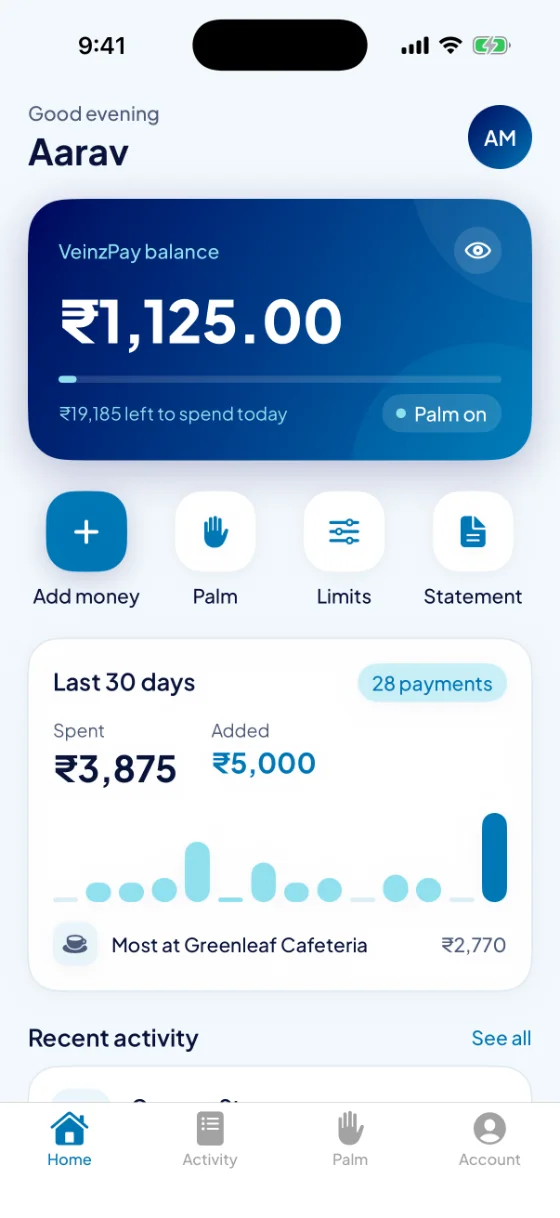
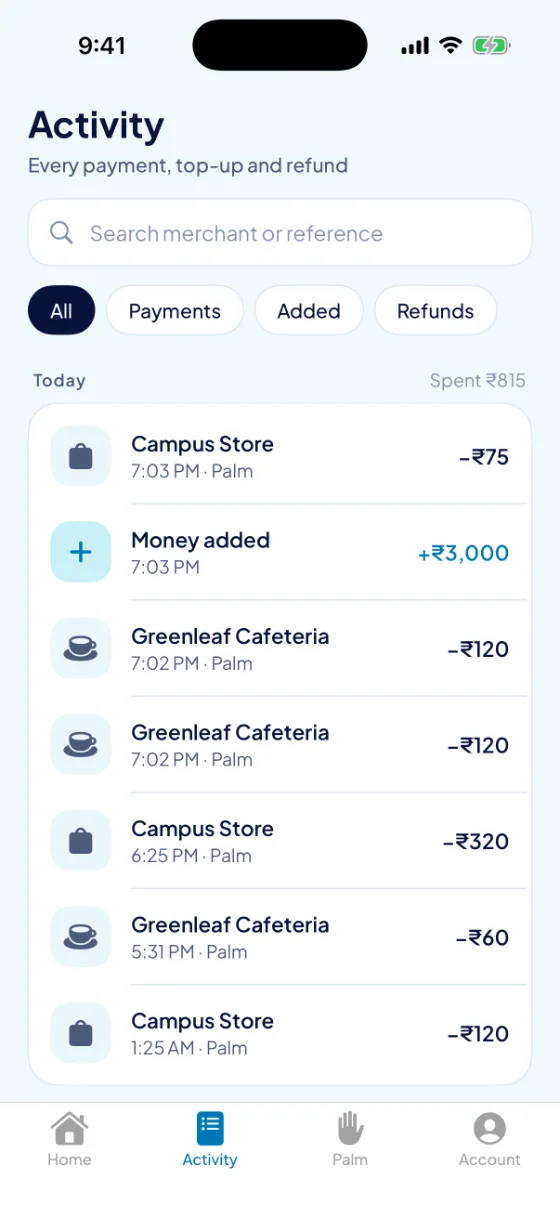
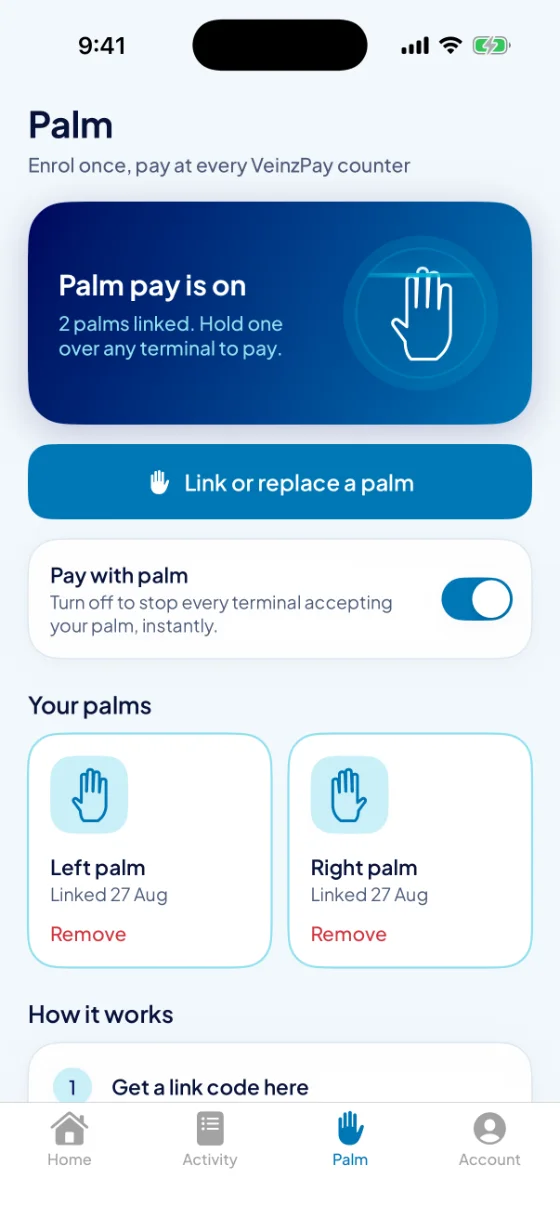
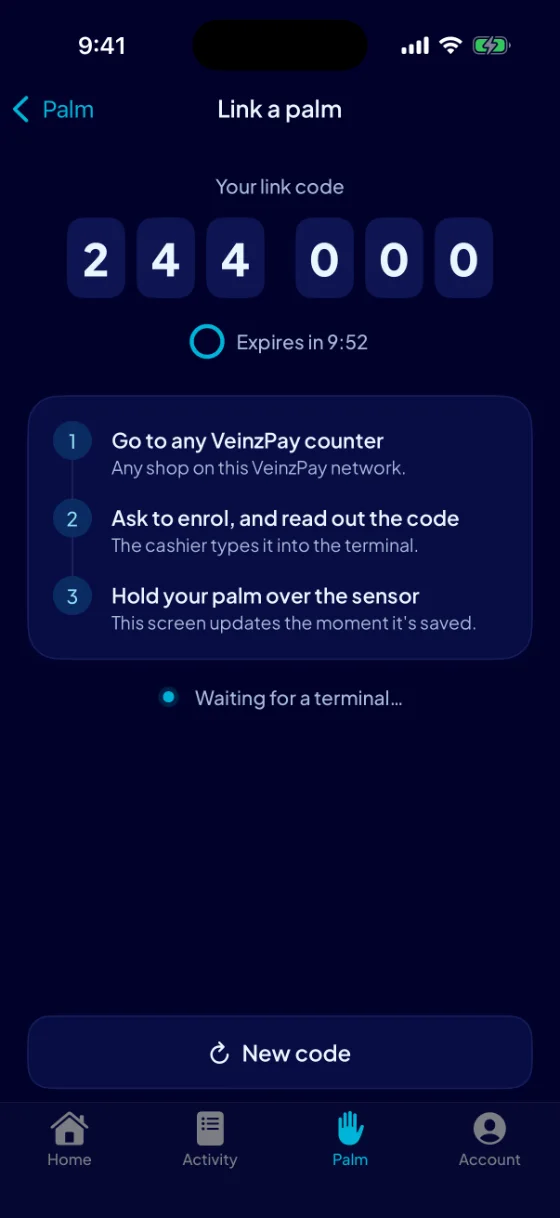
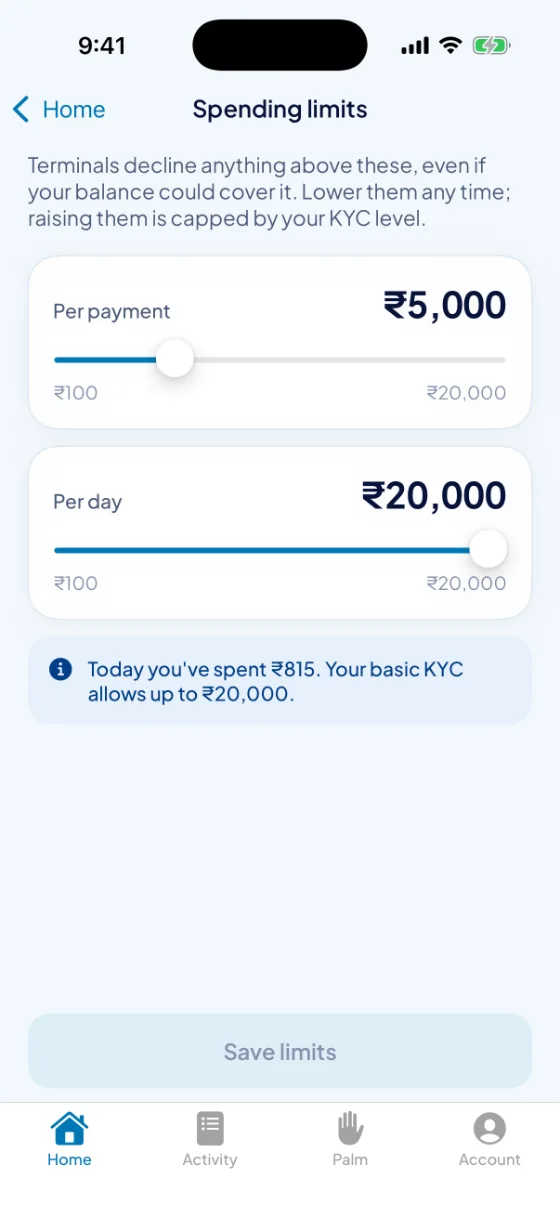
For Android now; iPhone is on its way. Get the app
A faster counter, and the numbers to run it
A palm terminal at the till, a dashboard in the browser and the VeinzPay Merchant app on your phone. Apply online; once approved, you get pairing codes for your terminals.
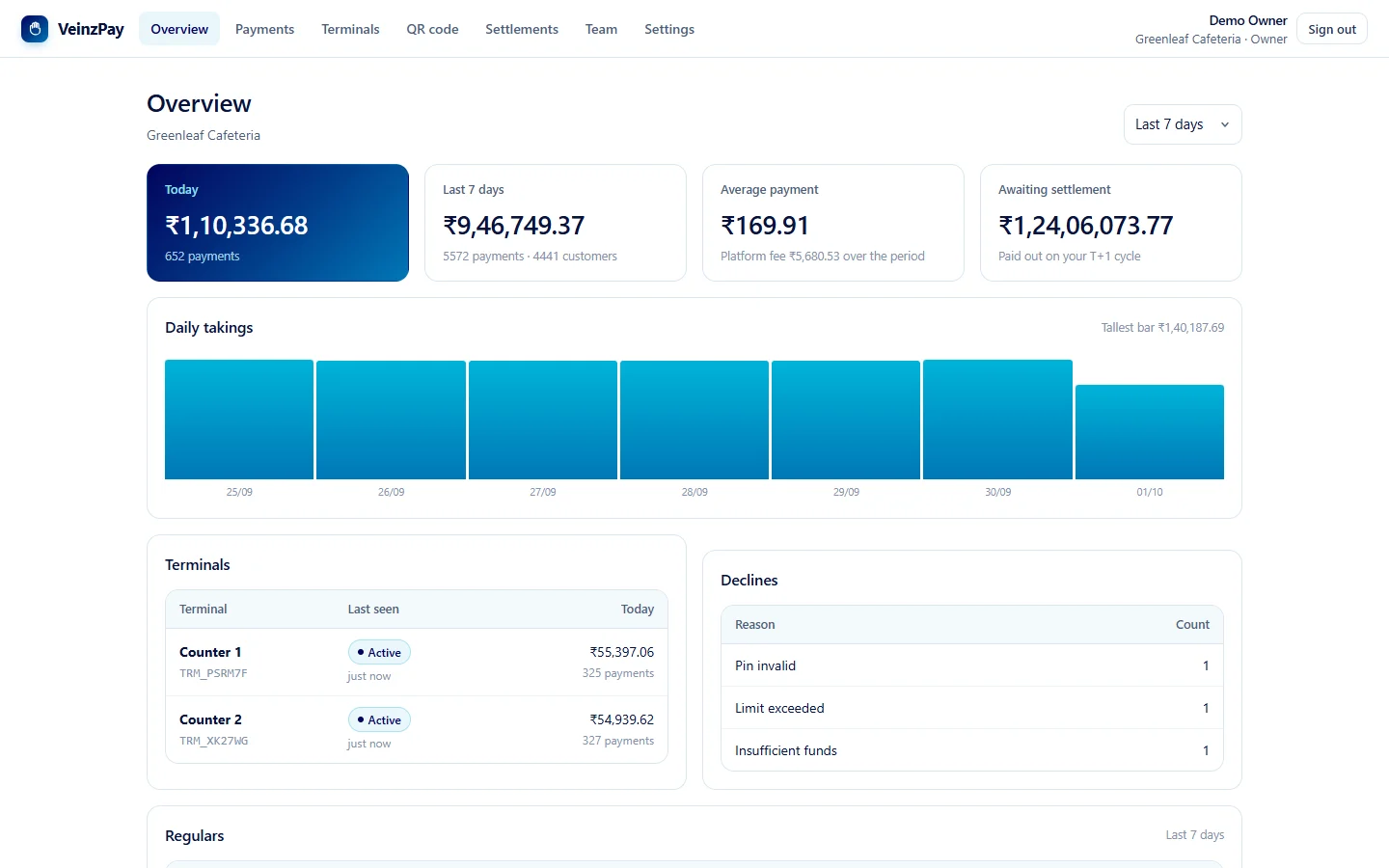
Takings at a glance
Today, the week and the month, the average payment, your regulars, and each counter's day.
Refunds straight back
Owners and managers refund a payment to the customer's wallet in one step, with the reason on record.
A QR code for the counter
Print your shop's VeinzPay code from the dashboard. Customers scan it in the app and pay from their VeinzPay balance with their PIN — no terminal needed.
Settlements to your bank
See what you're owed, request a settlement, and follow every payout to its bank reference (UTR).
Your team, your rules
Owner, manager and cashier sign-ins, each allowed exactly what the role needs.
Terminals you control
A handheld with a palm-vein sensor, paired with a one-time code. Offline, it holds payments and sends them later without charging twice; a lost one is revoked at once.
Runs on one PC, and looks after itself
The whole platform — wallets, ledger, terminals, dashboards — runs on one ordinary computer on your network, installed with one app. No database server, no containers, nothing to rent.
- Starts with the PC and restarts itself if it ever stops; a watchdog catches hangs.
- Nightly backups, taken while payments carry on, each opened and integrity-checked before it's kept.
- Alerts on your phone for a terminal gone quiet, a failed backup, a lost internet link or a clock that's drifted, and a summary of each day.
- An internet address that repairs itself. If the tunnel stops answering, the platform registers it again and checks from outside.
- Upgrades that can't take payments down: the new version is prepared beside the old, and the old one comes back if anything goes wrong.
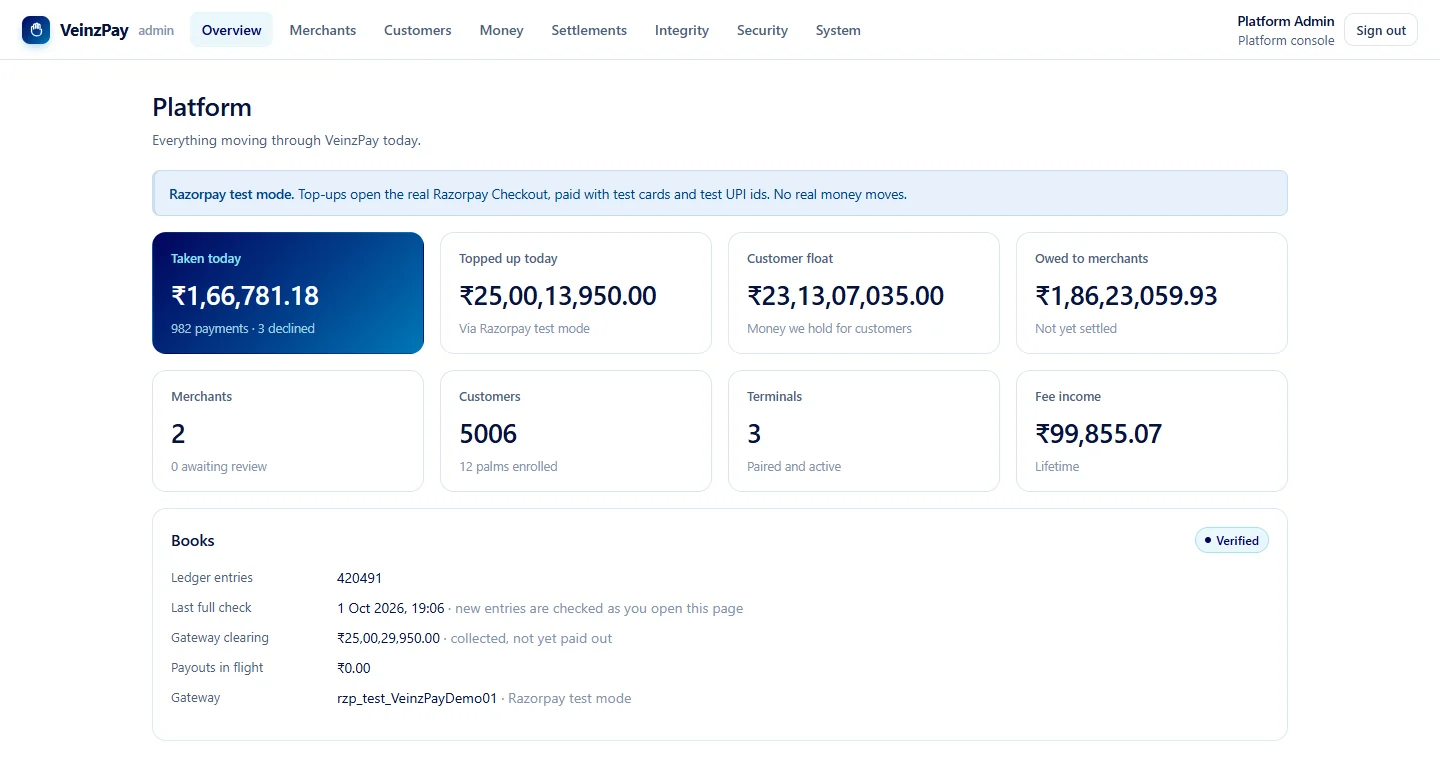
Good to know
Is the infrared light safe?
Yes. The sensor uses low-power near-infrared LEDs, the kind of light a TV remote sends. You can't see it or feel it, and it doesn't warm the skin.
Does the terminal keep a picture of my hand?
No. It turns each image into two short templates — numbers describing the pattern — and discards the image. Only the templates are stored, on the platform and on the terminals that need them to recognise you.
Could someone pay with a photo of my hand?
A photograph can copy the lines on a palm, but not the veins under it: the vein pattern only appears when blood absorbs near-infrared light, and paper or a screen doesn't do that. Both checks must pass for a payment.
What if I cut my hand, or wear gloves?
Cuts, calluses and dry skin are on the surface and rarely matter. Gloves and bandages block the sensor, so take a glove off, or use your other hand if you've linked both.
Do I have to enrol at every shop?
No. You enrol once, at any VeinzPay counter, and every terminal on the network picks your palm up within seconds.
What if someone tries to link their palm to my wallet?
They can't without you. Linking a palm needs a code from your app or your VeinzPay PIN. Wrong PINs are counted for your wallet, whichever terminal they come from, and after five that route closes for an hour.
What if I lose my phone?
Your palm doesn't need your phone. To stop anything being spent, sign in on another phone and freeze the wallet or switch palm pay off; it takes effect at every terminal within seconds.
What happens if the internet goes down at the counter?
On the shop's own network, payments carry on. A terminal that can't reach the platform holds the payment and sends it when the connection is back; its one-time key means it can't be charged twice.
Can I pay a UPI QR code with VeinzPay?
Scan it in the wallet and VeinzPay hands it to the UPI app on your phone, with the amount filled in. That payment comes from your bank account through your UPI app, not from your VeinzPay balance. Your balance can go to shops with a VeinzPay terminal and to other VeinzPay wallets.
How does money get into my wallet?
Through Razorpay, with UPI or a card, from the app. The platform confirms each payment with Razorpay itself before crediting it.
How do shops get paid?
Each payment is recorded as owed to the shop, less the fee agreed with that shop. Shops see the running total in their dashboard and are settled to their bank account, with the bank reference on every payout.
Leave your wallet at home.
Get the app, and link your palm at the next VeinzPay counter.